
Download the Arduino library for Makeblock https://github.com/Makeblock-official/Makeblock-Libraries/archive/master.zip
Copy the makeblock folder to your Arduino default library. Your Arduino library folder should now look like this
- (On Windows): [x:\Users\XXX\Documents]\Arduino\libraries\makeblock\src
- (On Mac OSX): [\Users\XXX\Documents]\Arduino\libraries\makeblock\src
Open Arduino IDE, click File > Examples and select the firmware.
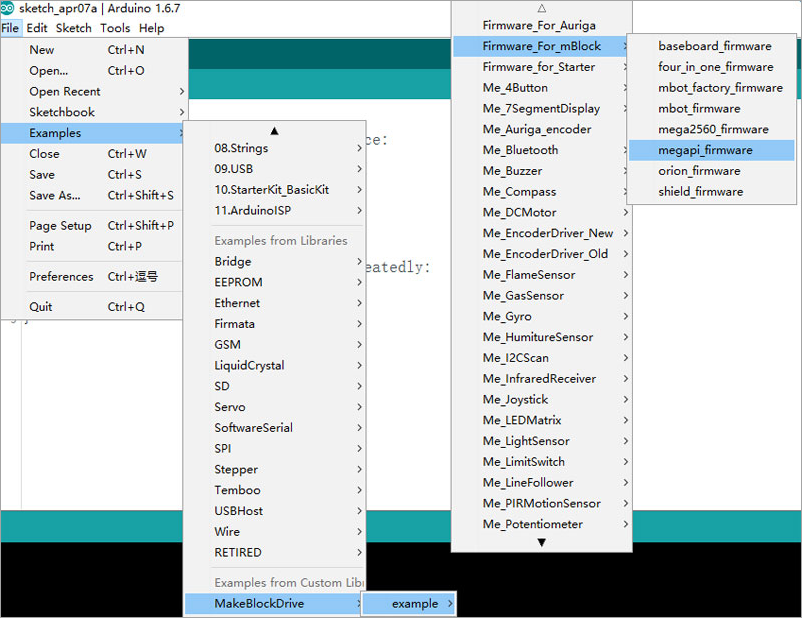
Compile and upload firmware according to your board type.
Prepare for Raspberry Pi
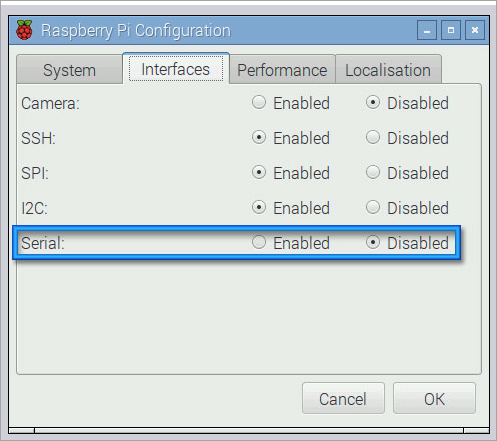
On your Raspberry Pi, disable the login prompt from Desktop > Menu > Preferences > Raspberry Pi Configuration.
Install Python library for Makeblock
sudo pip install megapi
The initial code for python:
from megapi import *
bot = MegaPi()
bot.start() #if using usb cable, need to call bot.start('/dev/ttyACM0')
Start to write your py. file.
Wiring
Use MegaPi.
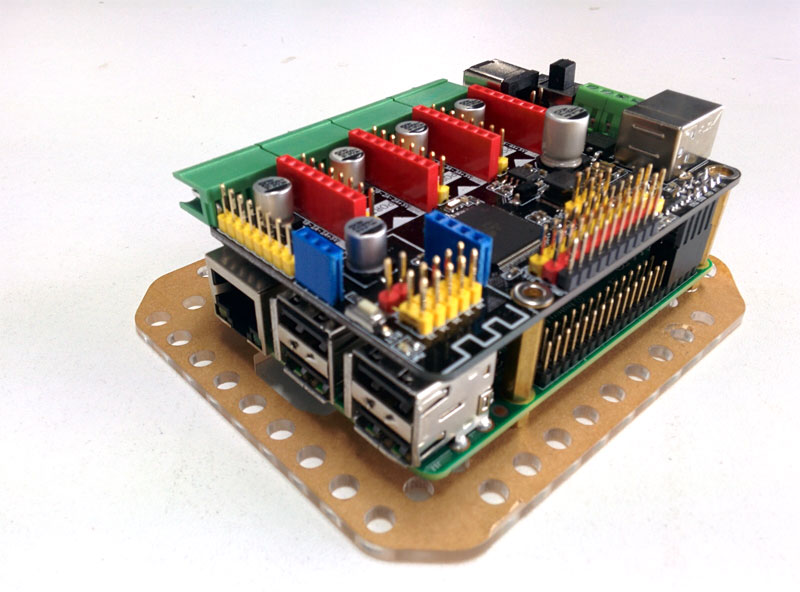
Use Me Shield for Raspberry Pi and RJ25 cable for Me Orion or Me Baseboard.
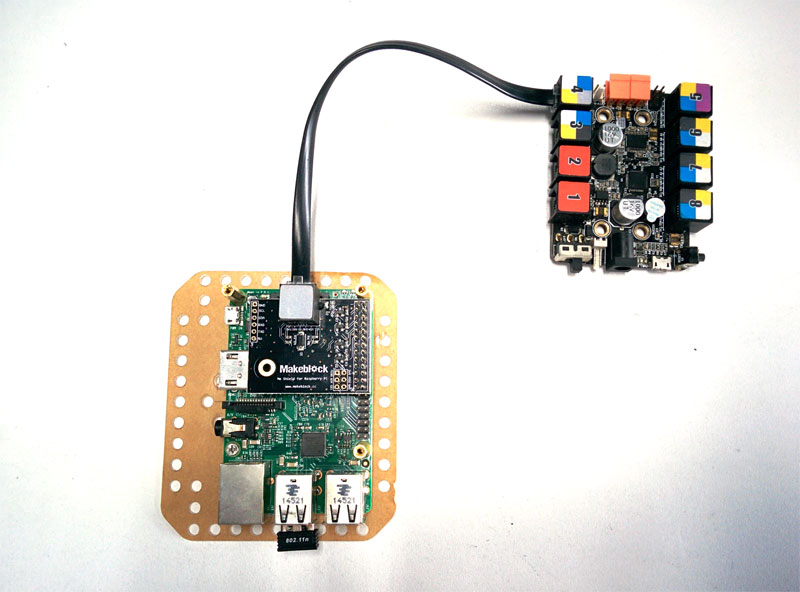
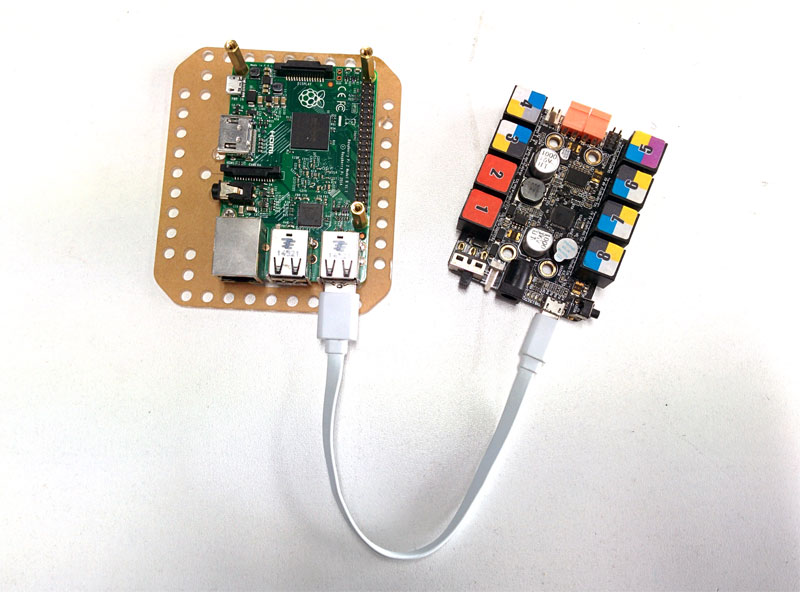
Use a USB cable for Me Orion or Me Baseboard.
See the source code at https://github.com/Makeblock-official/PythonForMegaPi.
Comments
Hi,
Can you provide a video and/or further exaplanations and examples of the hardware required (Rpi versions, required connections, wireless options...) to program the Ultimate with Python?
Regards
why the site of makeblock don't play??
Please sign in to leave a comment.